> For the complete documentation index, see [llms.txt](https://nx.docs.scailable.net/llms.txt). Markdown versions of documentation pages are available by appending `.md` to page URLs; this page is available as [Markdown](https://nx.docs.scailable.net/ai-manager-plugin/advanced-configuration/external-postprocessing.md).
# External Postprocessing
This page describes how to implement an external postprocessor to integrate with the AI Manager
You can add custom processing to the inference pipeline by connecting an external application. The application receives data from the AI Manager, can modify it, and returns a response.
Example implementations are provided in C and Python, but you can use any language that can communicate over a Unix socket.
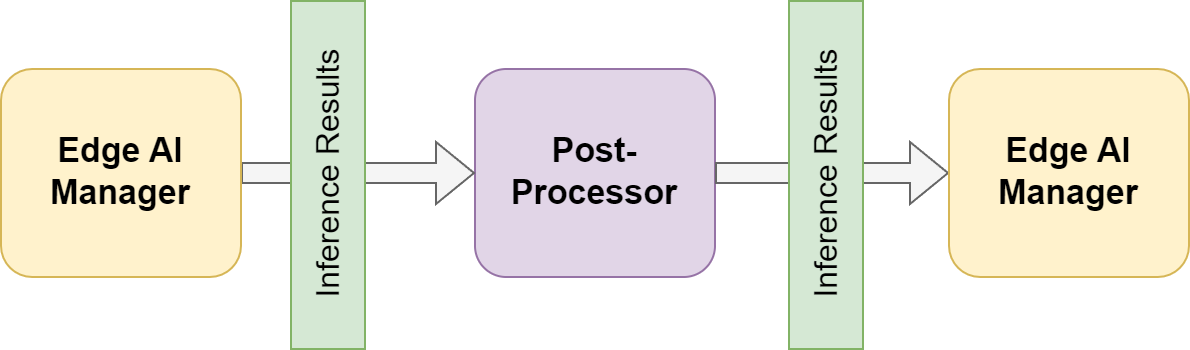
A high-level overview of the inference pipeline is as follows:
A high-level overview of the inference pipeline
The postprocessor receives inference results, can modify them, and returns the altered data. The AI Manager then sends the result to the Network Optix platform to generate bounding boxes or trigger events.
Configure the startup settings to tell the AI Manager how to launch your application. The AI Manager starts and stops it automatically as needed.
### External Postprocessor
The postprocessor receives a MessagePack-encoded buffer of inference results, using the same structure that would be sent to the output. Modify the message and return it; the AI Manager forwards your response to the Network Optix platform. The returned message must preserve the original structure, otherwise the platform cannot parse it. The examples show how to read, modify, and write this structure.
External Postprocessor data flow
### External Tensor Postprocessor
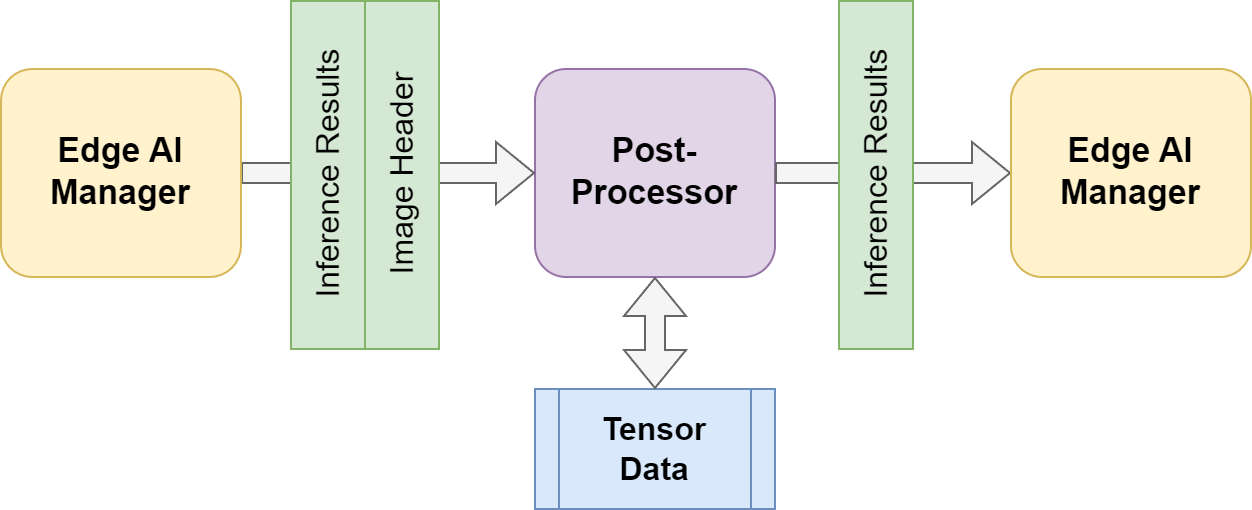
Enable the tensor postprocessor setting to give your postprocessor access to the raw input tensor from which the inference results were generated. This is useful for inspecting pixel data inside detected bounding boxes or for cropping sub-images.
When enabled, the AI Manager writes the input tensor to shared memory and sends your postprocessor an additional message with the shared memory location.
The AI Manager sends two messages in sequence: the inference results first, then the image header. Your postprocessor must read both before sending its response. Both messages are MessagePack encoded.
Tensor Postprocessor data flow
The postprocessor can do additional analysis on the tensor data.
### Custom external processing
If this behavior is not the desired behavior, is possible to create your own preprocessor to create a mask or postprocessor to exclude results from an area that you designate.
For more information on custom preprocessors and postprocessors you can checkout the examples in our GitHub repository
{% embed url="" %}