Show highest scoring category on video
Select a suitable model


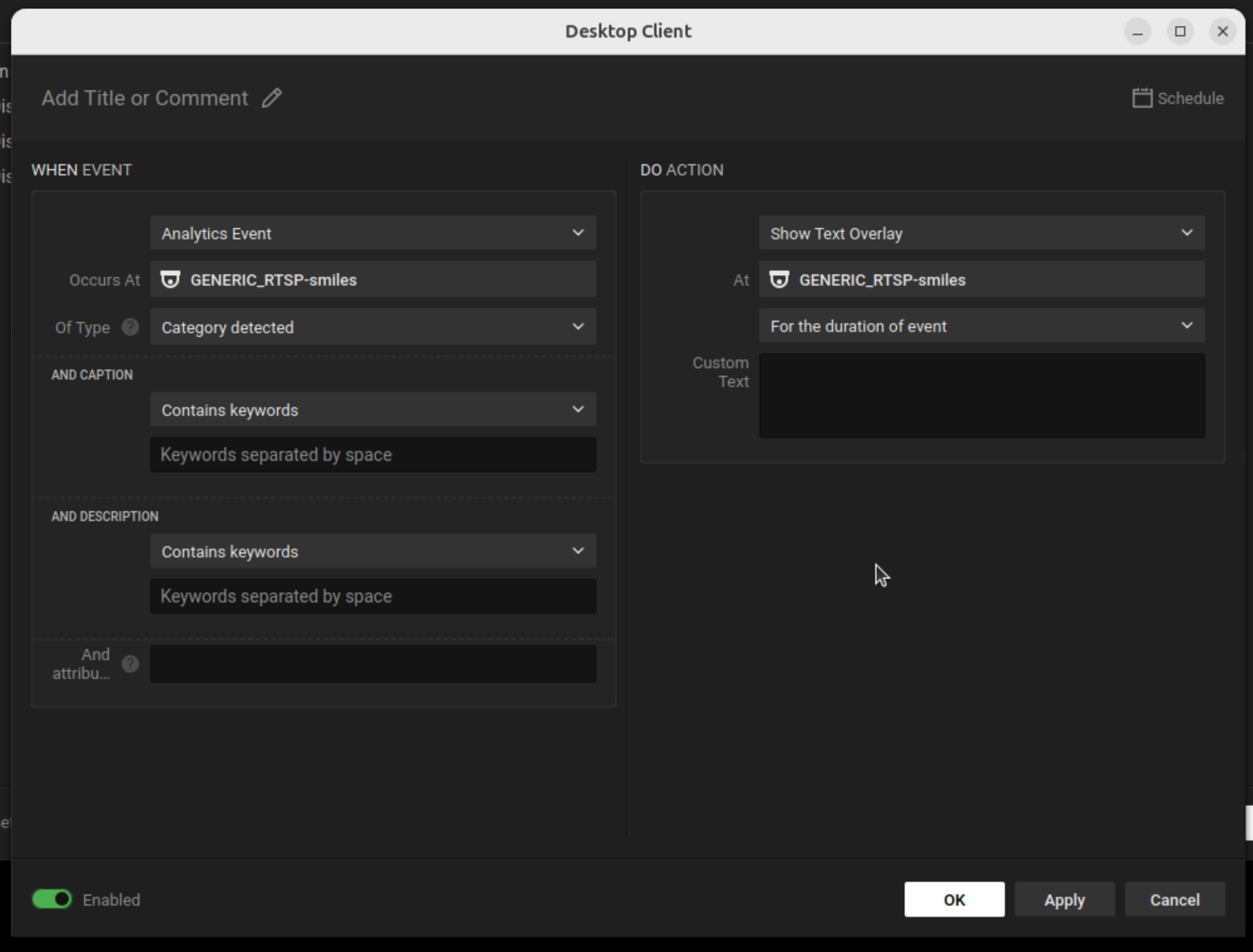
Create an Event Rule in Nx Meta

Set the "When" Condition
Set the "Do" Action


If you have a model that returns scores, you can display the highest scoring category as a text overlay on the video feed using the Nx Meta Rules Engine.
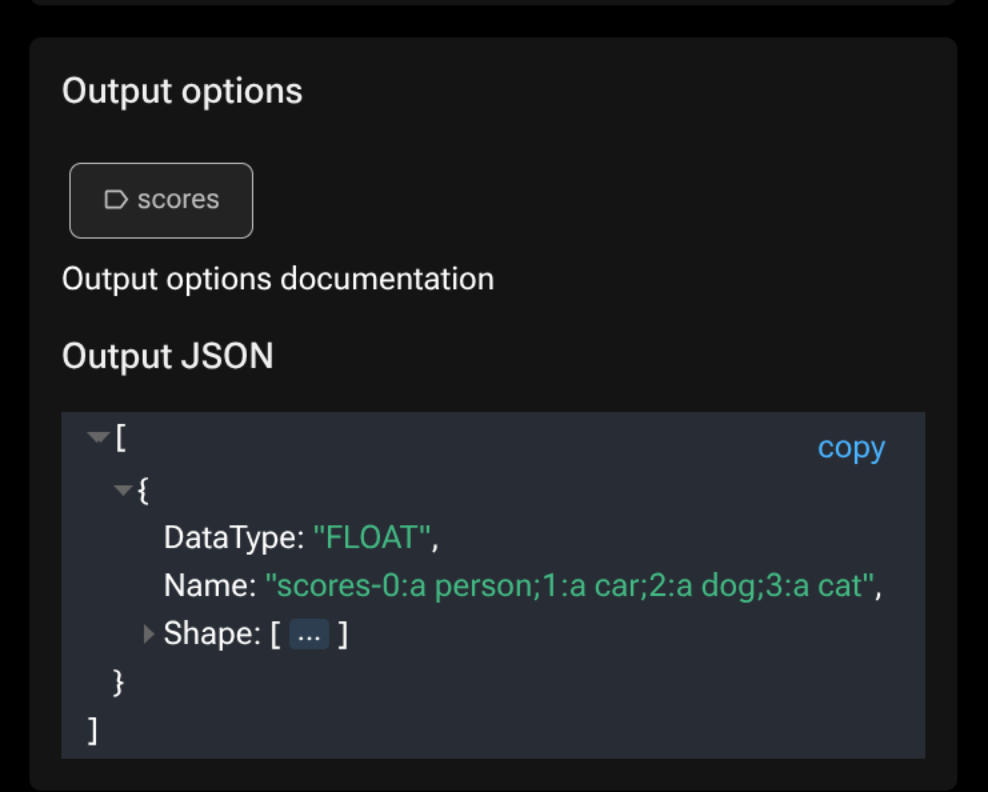
You need a model that outputs a score. You can quickly identify these by looking for the Scores tag in the model overview.

Or check the model detail page: if the model outputs named scores, they appear in the output description.

In the Nx Meta Desktop client, open Camera Rules for the camera running the AI plugin.

Click Add a New Rule. See the inference framerate how-to for a step-by-step walkthrough of the rule editor interface.
Source: Select the camera device (usually pre-selected).
Event: Select Analytics Event with type Category detected.
At: Select the same camera as the source.
Action: Select Show text overlay.
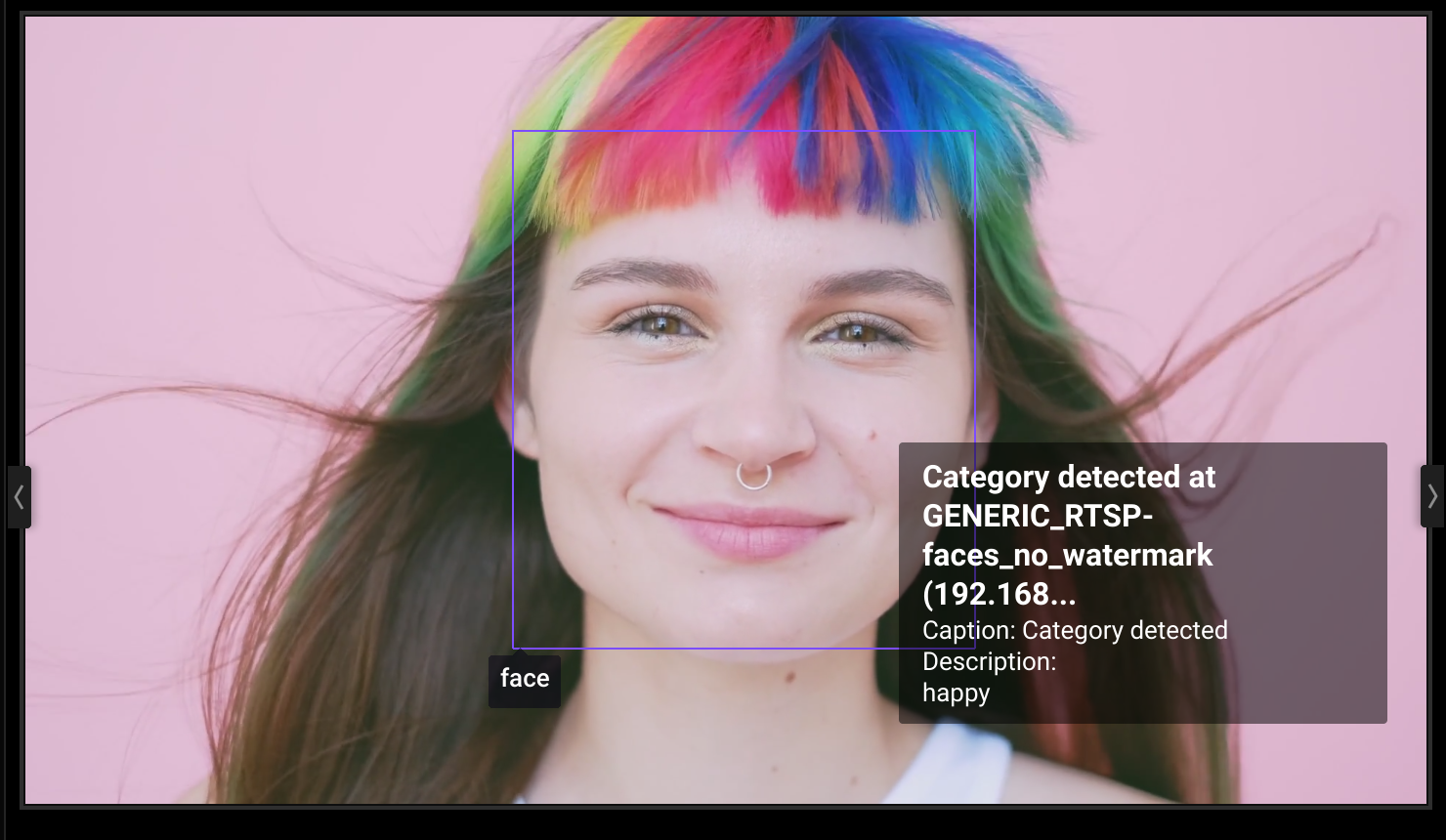
Text: The default $eventText value contains the highest scoring category name. No custom text is needed.

When the event fires, the highest scoring category is displayed on the video feed.