> For the complete documentation index, see [llms.txt](https://nx.docs.scailable.net/llms.txt). Markdown versions of documentation pages are available by appending `.md` to page URLs; this page is available as [Markdown](https://nx.docs.scailable.net/ai-manager-v6.1.4/ai-manager-plugin/configure-the-plugin/plugin-settings/manage-device.md).
# Manage Device
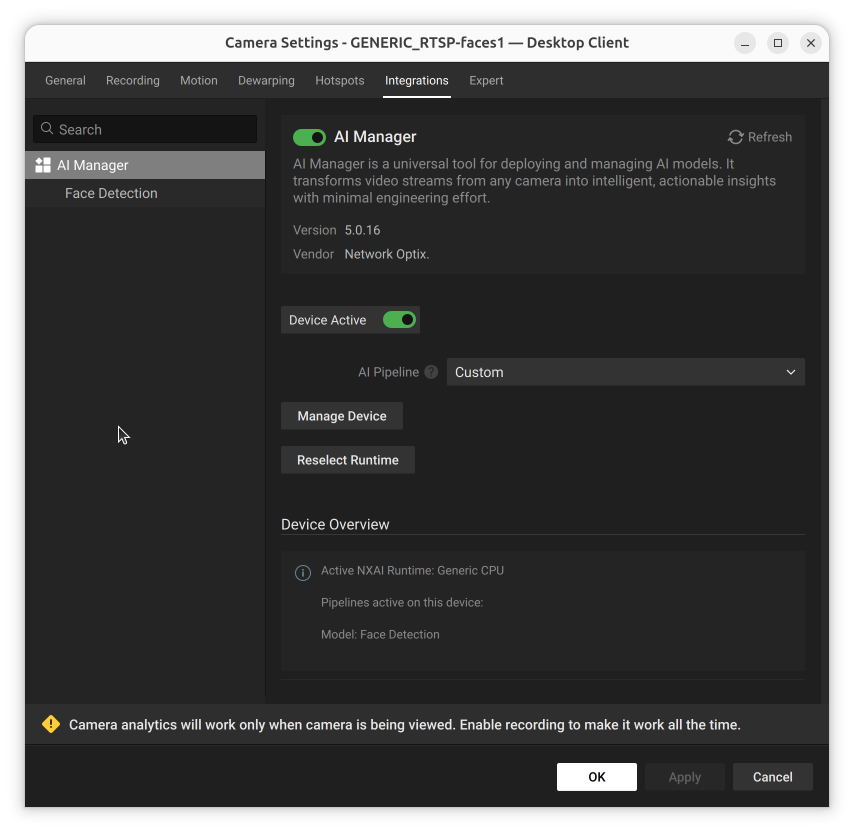
The button that opens the AI Manager Client popup for managing model pipelines.
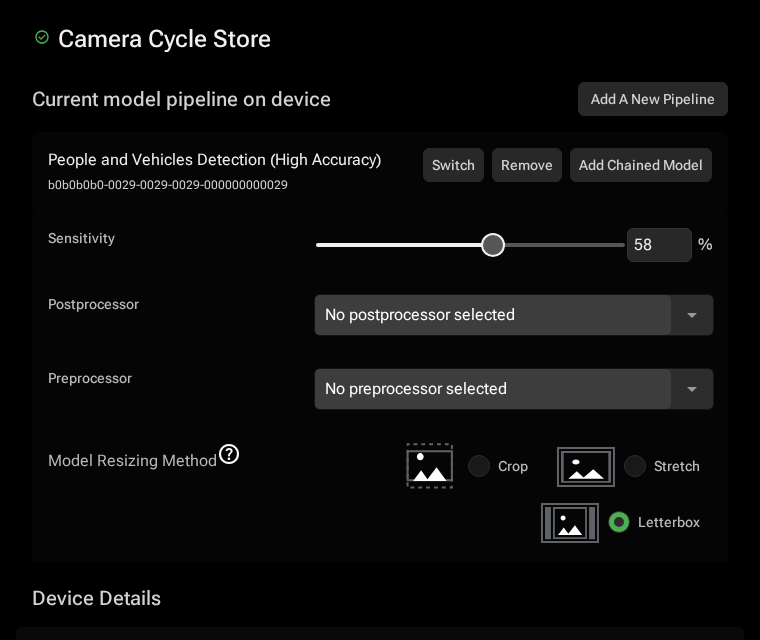
This button opens the AI Manager Client popup. In the AI Manager Client popup you can add model pipelines, and manage the models and their details here.
The Manage Device button: available when using a custom cloud pipeline
The AI Manager Client popup opened via the Manage Device button