> For the complete documentation index, see [llms.txt](https://nx.docs.scailable.net/llms.txt). Markdown versions of documentation pages are available by appending `.md` to page URLs; this page is available as [Markdown](https://nx.docs.scailable.net/nx-ai-manager-v4.x/for-data-scientists/importing-models/from-nota-ai.md).
# From Nota AI
## About Nota AI
Nota AI provides a software optimization platform, focusing on reducing the time and resources required to develop an artificial intelligence (AI) model and **optimizing** it for the target device.
Nota AI developed [NetsPresso](https://www.nota.ai/netspresso), which is a hardware-aware AI model optimization platform. The platform focuses on optimizing AI models to run efficiently on various hardware devices. They provide a set of [free optimized models](https://launchx.netspresso.ai/models) for various tasks.
## Deploying models
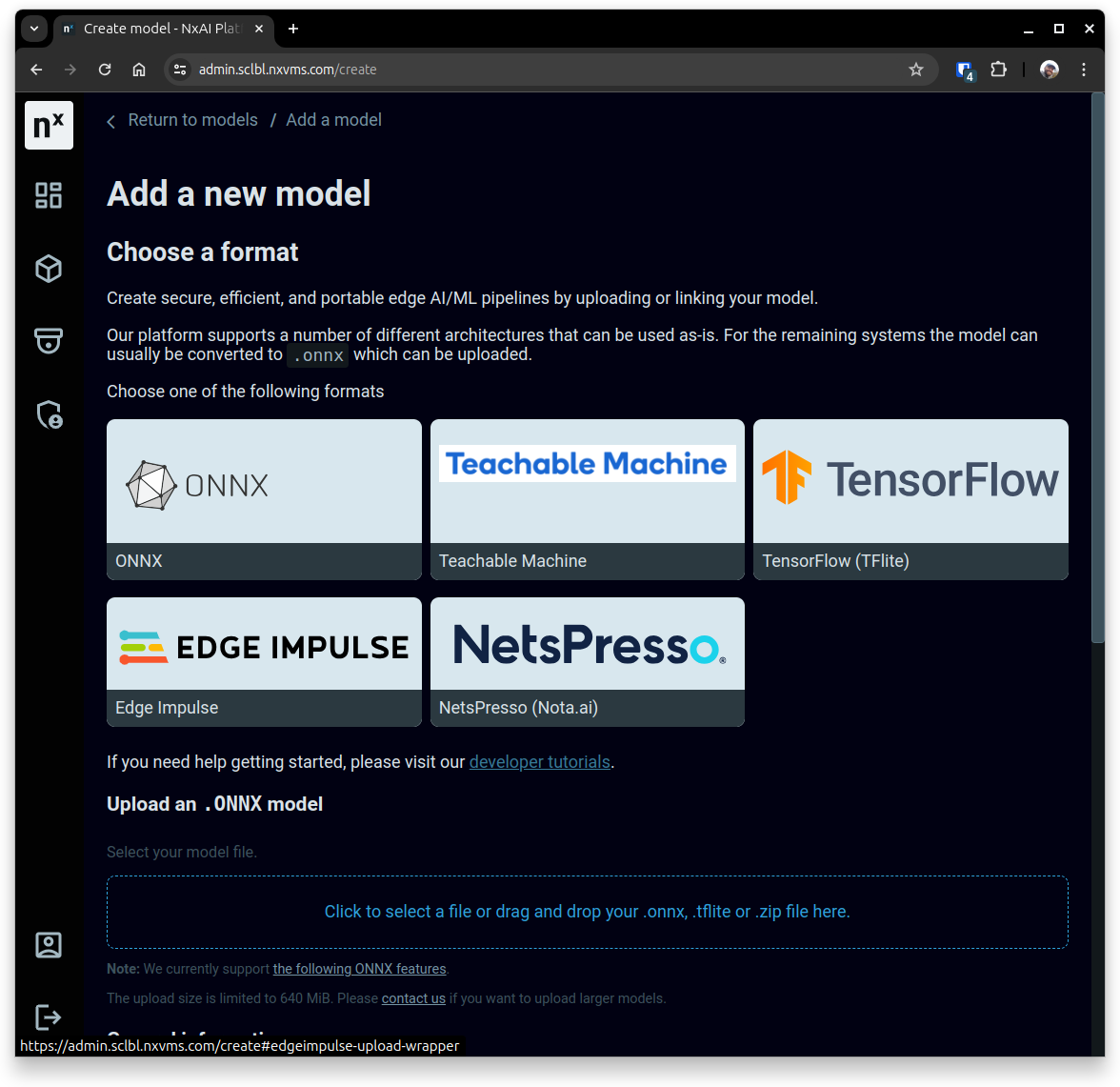
To upload NetsPresso models to Nx AI Platform, you need to export your AI model from [LaunchX](https://launchx.netspresso.ai/main) to **TFlite**. Then, upload the **TFLite** (`.tflite`) in the [platform](https://admin.sclbl.net/create#tflite-upload-wrapper). \
In addition to the model, there a couple of descriptive fields: model name and documentation, where meta-data about the model can be saved.
Where to upload a NetsPresso model in the Nx AI Cloud.
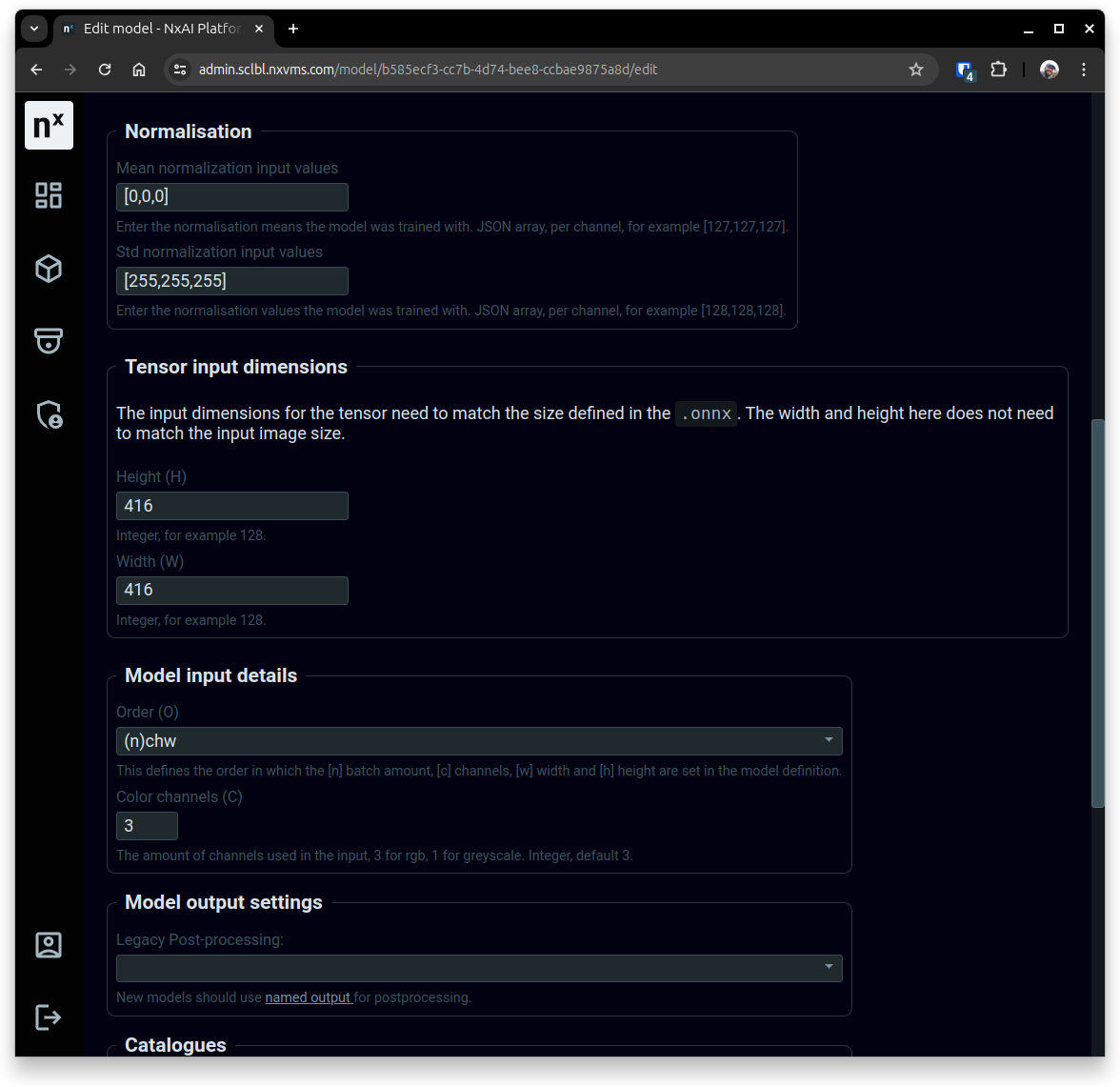
After the model is converted on the Nx AI Platform, the next step is to set the right mean and std (standard deviation) values that were used during the training phase of the model. \
To do so, go to the model page, then click on the *Edit* button to access the interface for setting the normalization values and other model parameters such as the model input width & height.\
When done editing, make sure to click on the *Save* button at the bottom of the page.
Interface for editing the model normalization values.