> For the complete documentation index, see [llms.txt](https://nx.docs.scailable.net/llms.txt). Markdown versions of documentation pages are available by appending `.md` to page URLs; this page is available as [Markdown](https://nx.docs.scailable.net/nx-ai-manager-v6.1.1/nx-ai-manager/configure-the-plugin/multiple-model-pipelines.md).
# Model pipelines on multiple devices
{% hint style="info" %}
Nx Witness, Nx Go and Nx Meta will work in the same way for the configuration.
{% endhint %}
Multiple devices can be managed at the same time, but this feature is limited at the moment. You can create a new model pipeline on *one* device and then clone it to multiple devices later. To fine tune the pipeline settings they can be set for each device individually later.
## Creating a new pipeline on multiple devices
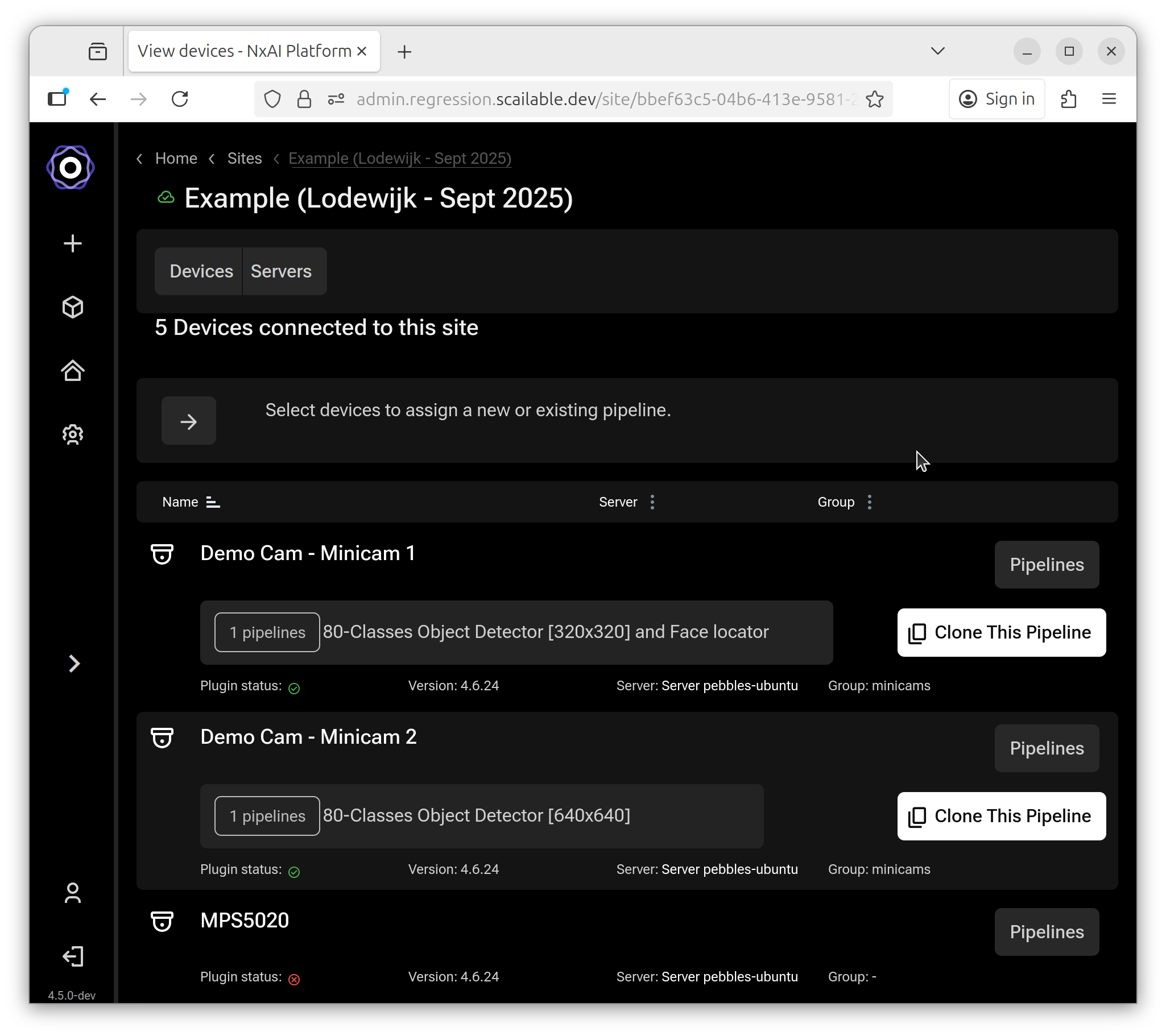
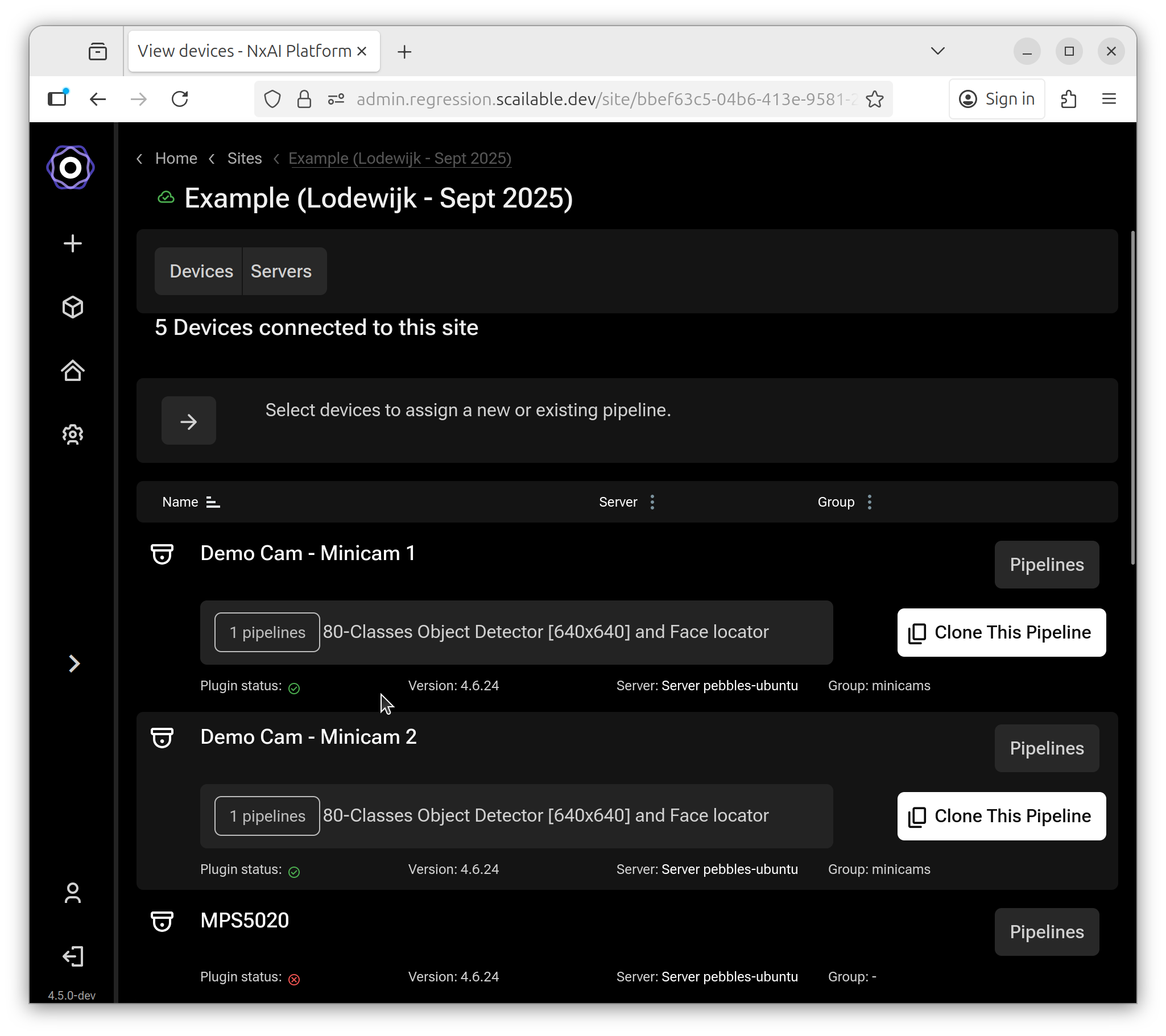
Start at the site page, where you can see all the available devices on the available servers.
The site details page with the list of available devices
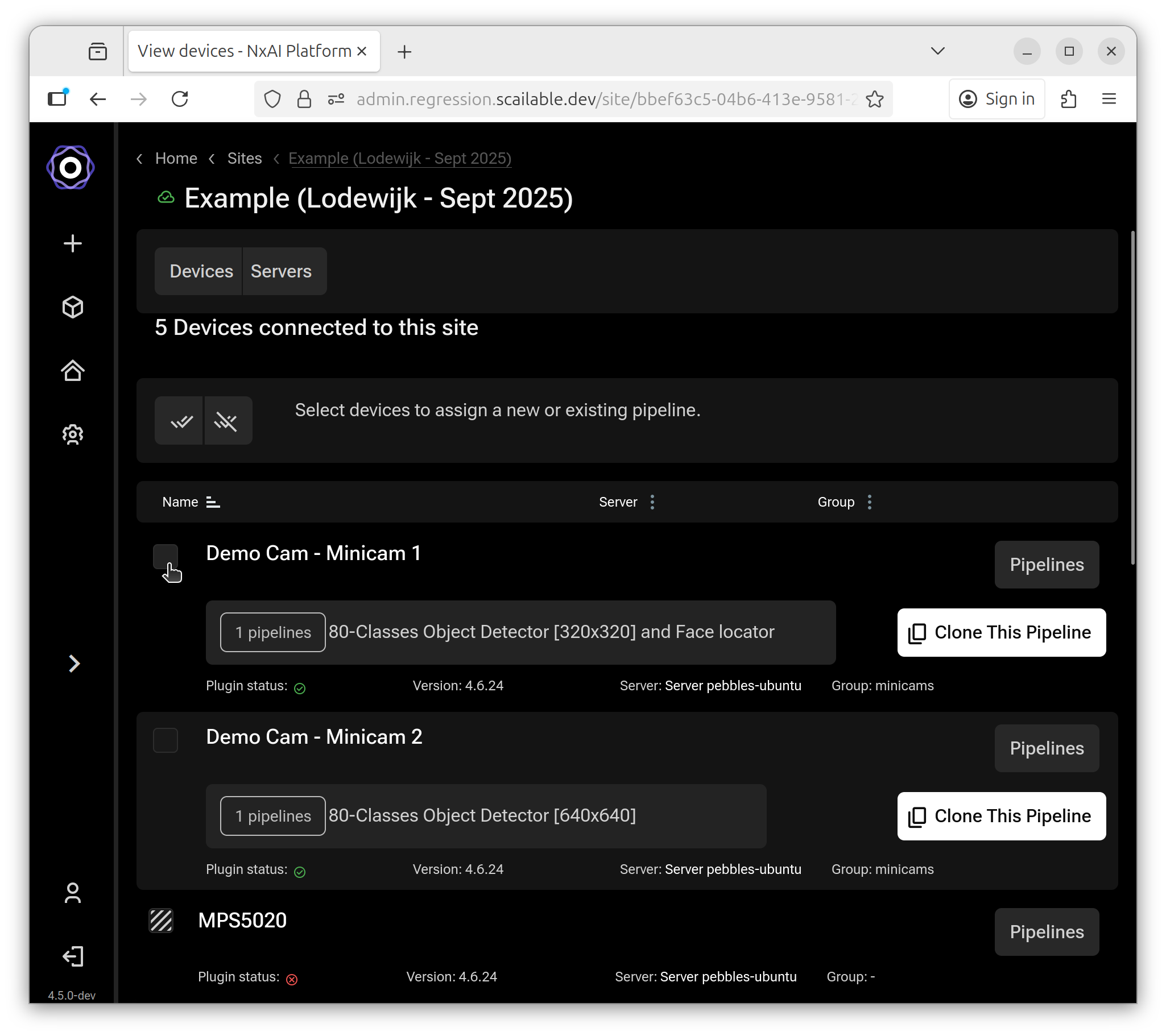
The "Clone this pipeline" button starts the process and enables the checkboxes next to the devices that can have a pipeline applied. Devices that are turned off or have the plugin disabled will not get a checkbox.
The site details page with checkboxes for the available devices
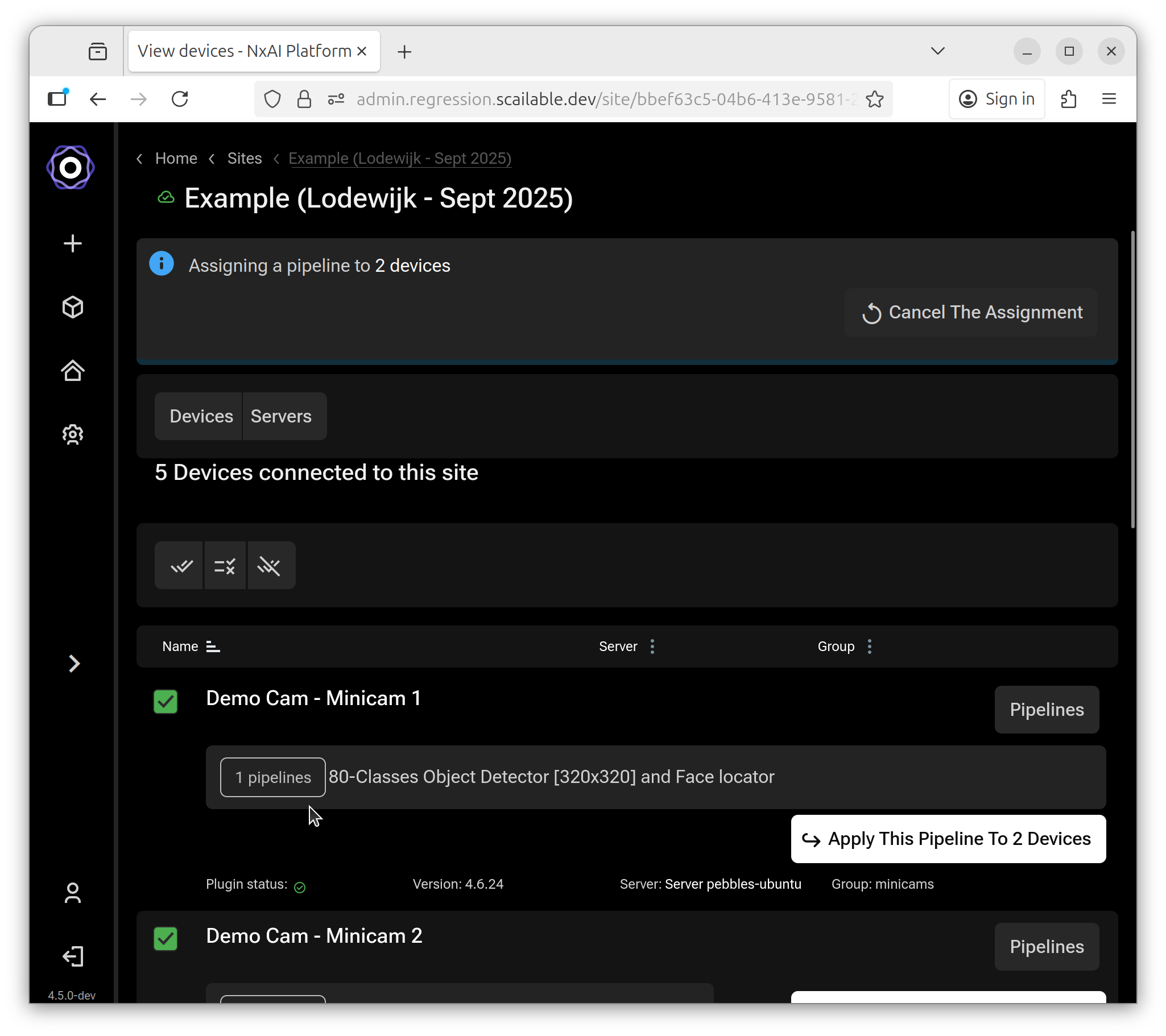
Only devices that are enabled can be selected.
The site details page with selected devices
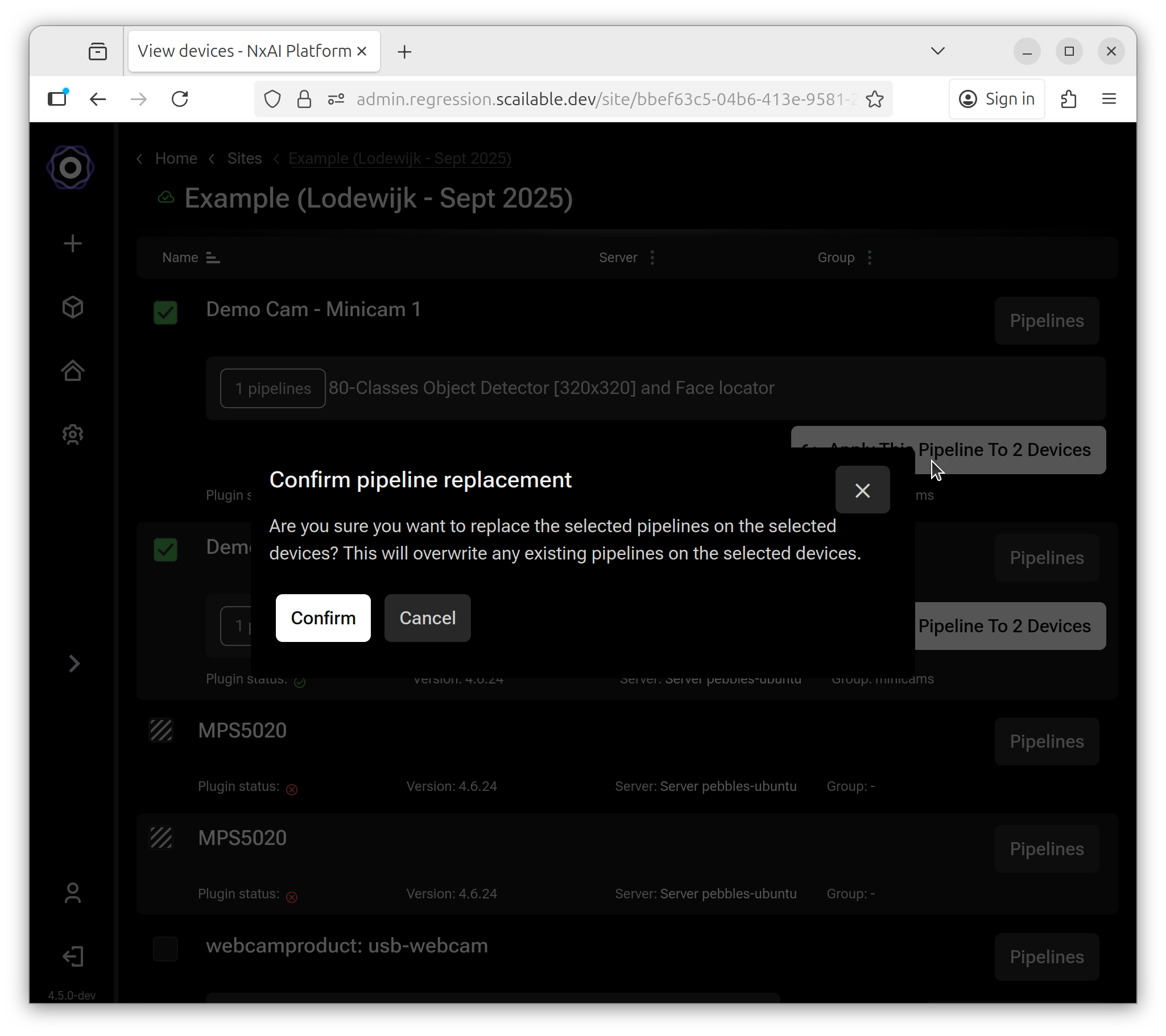
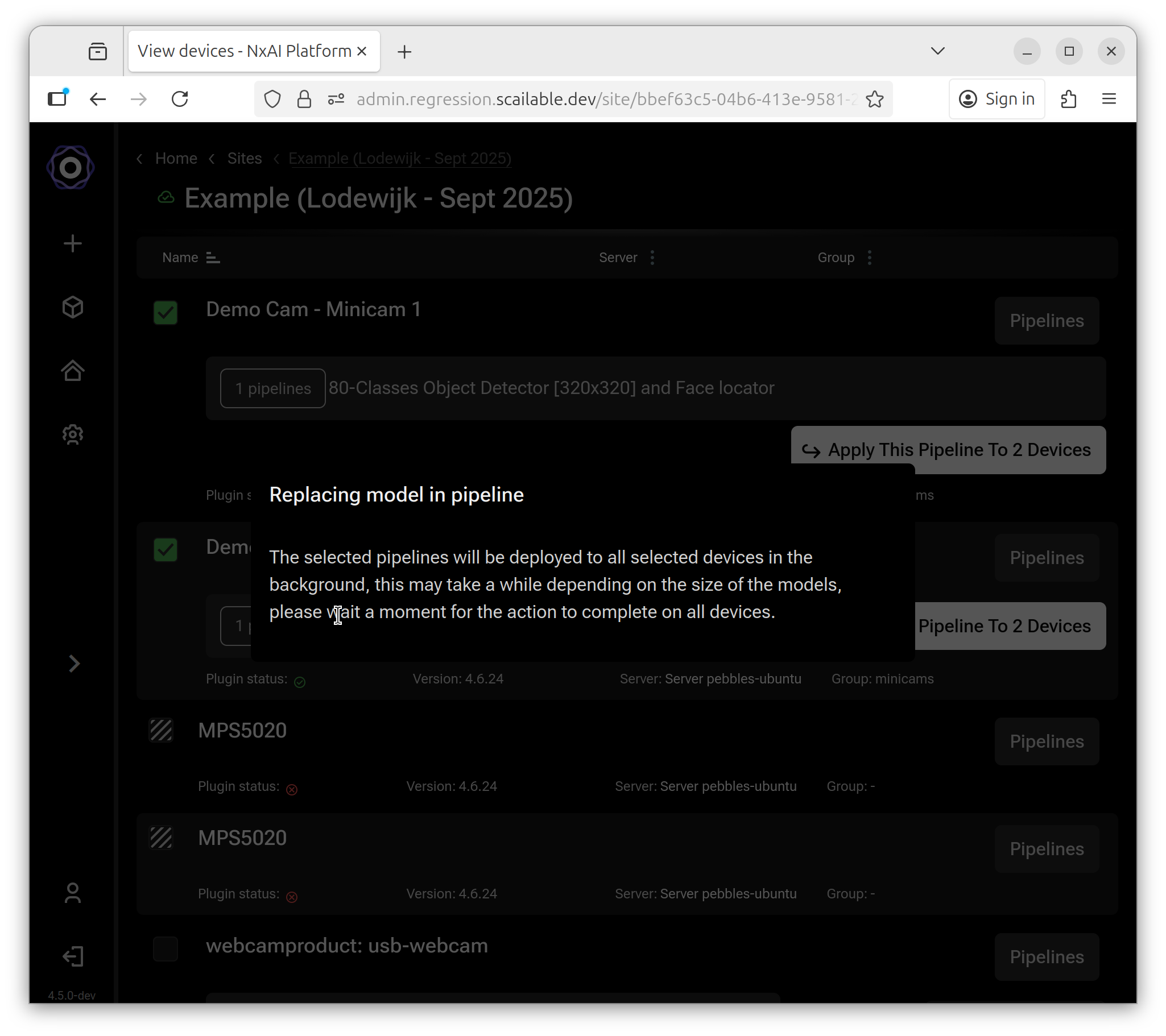
When one or more devices are selected the "Apply pipeline" button is enabled and can be clicked. You will get a confirmation dialog. Confirming will replace all existing pipelines on the selected devices with the selected pipeline.
After confirming the pipeline will be deployed to the selected devices.
And after completion of the deployment the pipeline will be activated on the selected devices.
You can verify the deployment of the new model pipeline by checking one or all the previously selected devices. This is also a good time to do any fine tuning.