> For the complete documentation index, see [llms.txt](https://nx.docs.scailable.net/llms.txt). Markdown versions of documentation pages are available by appending `.md` to page URLs; this page is available as [Markdown](https://nx.docs.scailable.net/nx-ai-manager-v6.1.1/nx-ai-manager/install-plugin.md).

# Starting the Nx AI Manager Plugin

## Starting the plugin

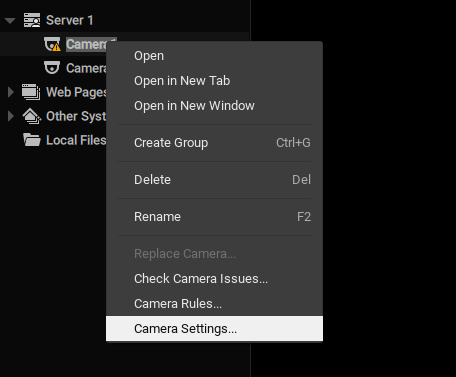
After successful installation of Nx Server and Nx Client, an "Integrations" tab should be visible when opening a camera's settings via the context menu:

<figure><img src="/files/QA1zUH5cka5YwYrqA6No" alt=""><figcaption><p>Camera Settings Navigation</p></figcaption></figure>

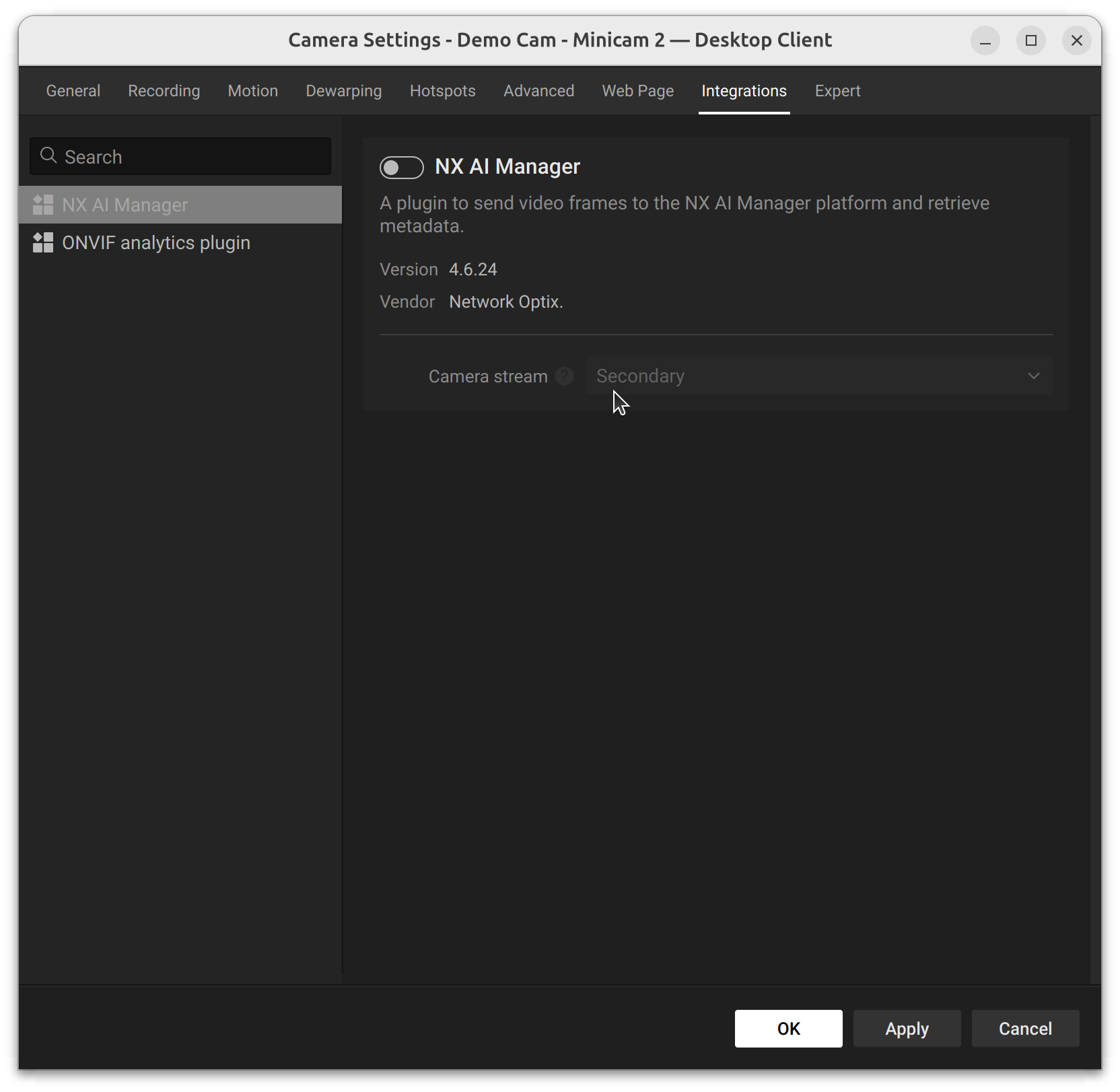
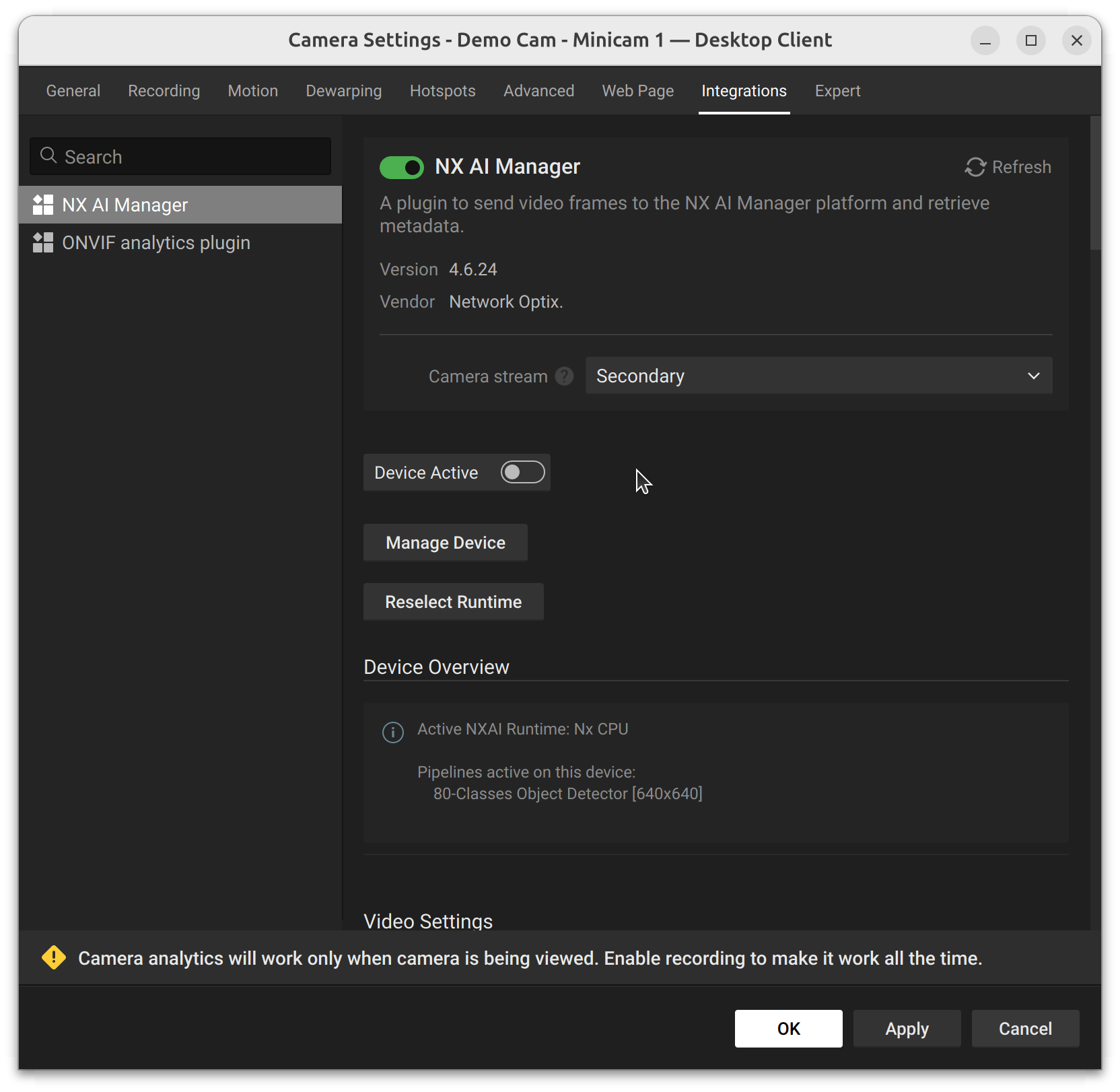
To start the plugin the plugin needs to be enabled by toggling the switch next to the title and then also enabling the 'Device Active' toggle that will then appear.

<figure><img src="/files/qy3KWFHcfsPWRCS4m5ot" alt=""><figcaption><p>The popup window showing that the plugin is disabled for this device</p></figcaption></figure>

<figure><img src="/files/vucyTGRHDzEAYOuBa6wA" alt=""><figcaption><p>The popup window showing that the plugin is enabled for this device, but the device is not active.</p></figcaption></figure>

## Stopping the plugin

Stopping the plugin when it is running can be done from within the Nx Client.

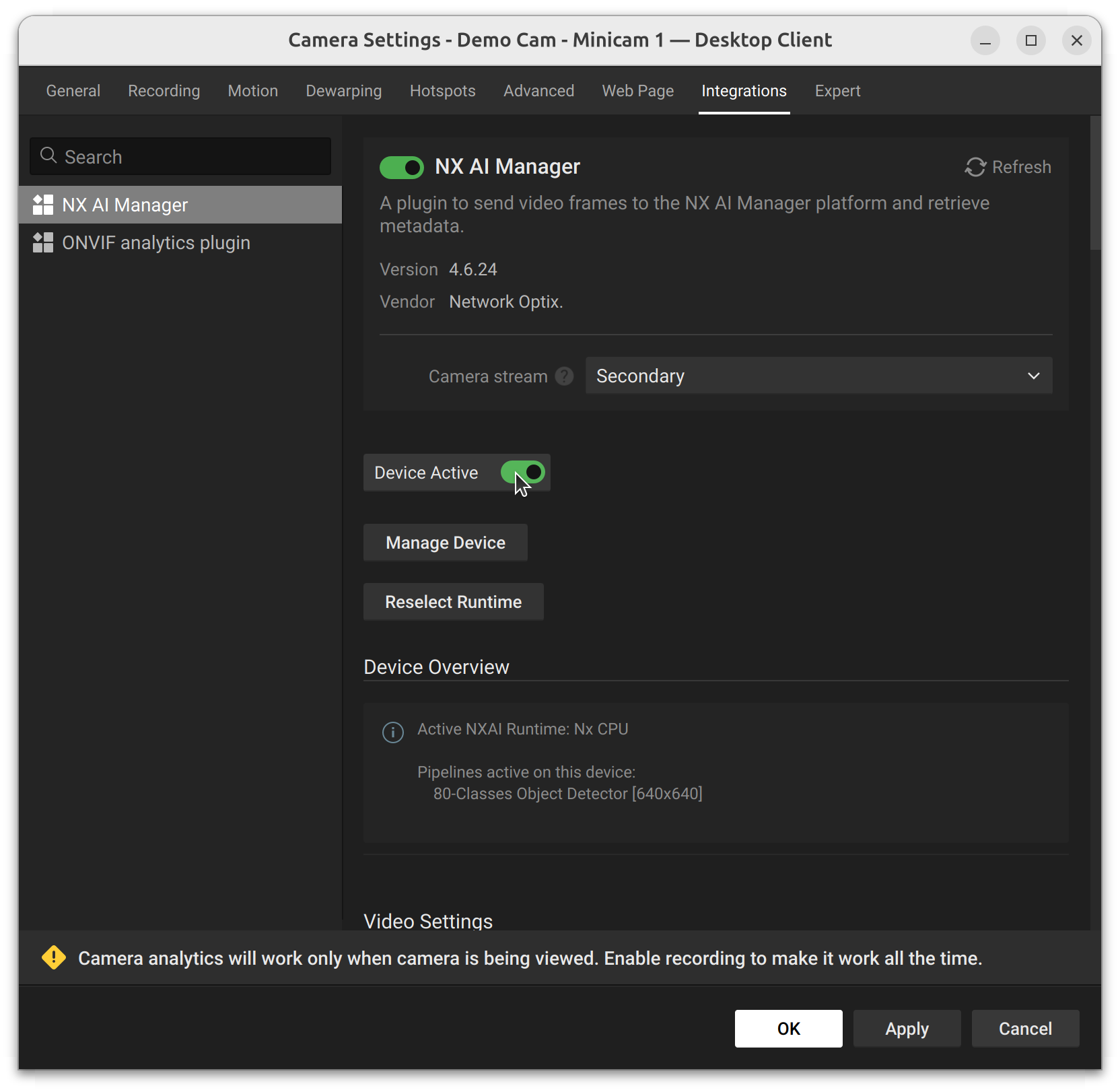
To stop the plugin all devices on a server need to be disabled by switching the 'Device Active' toggle to off.

<figure><img src="/files/2wATdJxfVA0VYVz3YZnx" alt=""><figcaption><p>The popup window showing that the plugin is enabled and the device is active.</p></figcaption></figure>