Starting the Nx AI Manager Plugin
This page provides instructions on how to install the Nx AI Manager Plugin
Starting the plugin
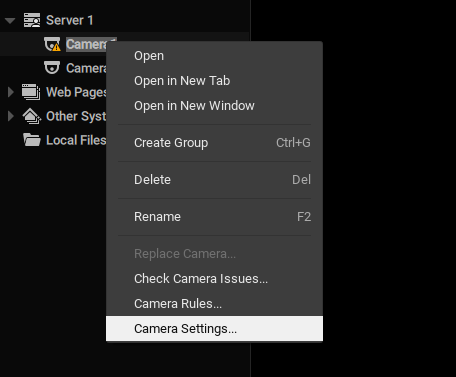
After successful installation of Nx Server and Nx Client, an "Integrations" tab should be visible when opening a camera's settings via the context menu:

To start the plugin the plugin needs to be enabled by toggling the switch next to the title and then also enabling the 'Device Active' toggle that will then appear.


Stopping the plugin
Stopping the plugin when it is running can be done from within the Nx Client.
To stop the plugin all devices on a server need to be disabled by switching the 'Device Active' toggle to off.

Last updated