# Intel Support

<table><thead><tr><th width="153.22265625">AI Accelerator</th><th>Support Level</th><th>CPU Architecture</th><th>Operating System</th><th>API/driver version</th></tr></thead><tbody><tr><td>Intel CPU</td><td>Full support</td><td>x86_64</td><td>Ubuntu 22+ and Windows</td><td>-</td></tr><tr><td>Intel GPU/NPU</td><td>Experimental</td><td>x86_64</td><td>Ubuntu 22+ and Windows</td><td>-</td></tr></tbody></table>

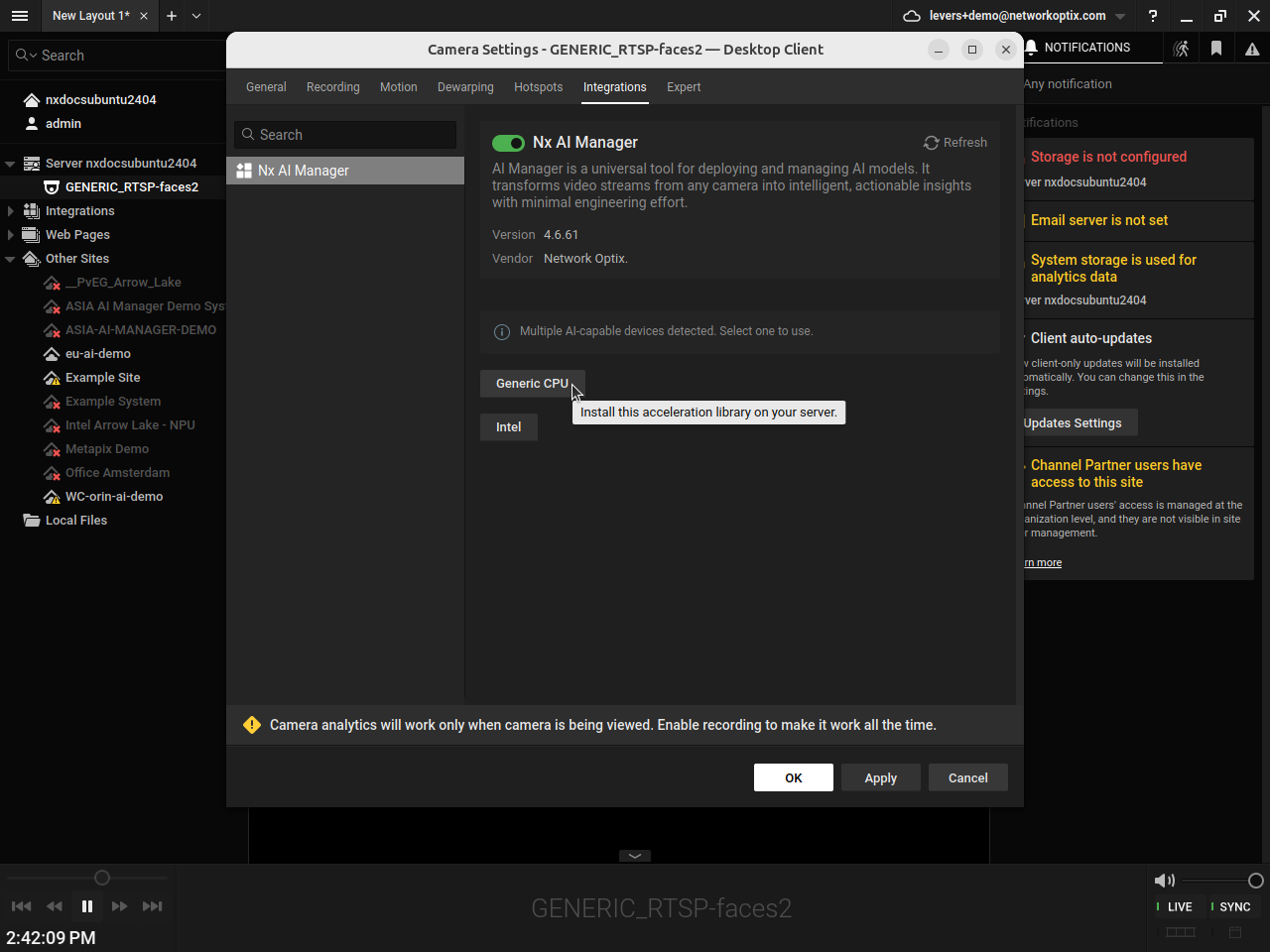
To use OpenVINO runtimes, you have the option select it on plugin install for compatible hardware.\
\
If you want to preselect GPU or NPU runtimes, make sure you have the very latest Intel drivers installed on your machine.

{% hint style="info" %}
The Intel NPUs are not supported on Windows at the moment.
{% endhint %}

### Hardware requirements

The list of Intel CPU and GPU models that can be used to perform AI inference are available [here](https://docs.openvino.ai/2025/about-openvino/release-notes-openvino/system-requirements.html). Please check out the tables to learn if you setup is compatible.

### Software requirements

#### For Ubuntu

For the Intel drivers, follow:\
\
\-  For GPU: <https://github.com/intel/compute-runtime/releases/tag/25.09.32961.5>\
\-  For NPU: <https://github.com/intel/linux-npu-driver/releases/tag/v1.16.0>

Also make sure you have the latest libtbb installed:

```
sudo apt install libtbb12 ocl-icd-libopencl1
```

Add the user to `video` and `render` groups:

```
sudo usermod -aG video $USER
sudo usermod -aG render $USER
```

If, for some reason, your Ubuntu or Debian version tends to overwrite some of the packages installed above, you can prevent APT from upgrading them by placing the relevant packages on hold, for instance:

```
sudo apt-mark hold intel-ocloc intel-opencl-icd libigdgmm12 libze-intel-gpu1
```

#### For Windows

To make use of the Intel GPU, make sure to install the Intel Graphics Driver as shown on this [page](https://www.intel.com/content/www/us/en/support/articles/000005629/graphics/processor-graphics.html).

### Configuration

By default, the OpenVINO runtime performs model inference on CPU.&#x20;

To run a model on a compatible Intel GPU, you need to specify that in a JSON file located in `/opt/networkoptix-metavms/mediaserver/var/nx_ai_manager/nxai_manager/bin/runtime_args.json`  :

```
{
  "device_type": "GPU"
}
```

Similarly, to use the Intel NPU, the JSON file should contain:

```
{
  "device_type": "NPU"
}
```

After making the changes, please restart the Nx Server as detailed in this section: [Restarting the ](/support-and-troubleshooting/troubleshooting/controlling-the-server-and-the-plugin.md#restarting-the-server)server.

### Monitoring

#### On Ubuntu

You can monitor the usage of Intel CPU, GPU and NPU by using the adequate command:

| Hardware | Command              | How to install                            |
| -------- | -------------------- | ----------------------------------------- |
| CPU      | `top`                | Comes preinstalled in the OS              |
| GPU      | `sudo intel_gpu_top` | `sudo apt install intel-gpu-tools`        |
| NPU      | `intel-npu-top`      | <https://pypi.org/project/intel-npu-top/> |

### Notes

#### Incompatible models

Not all models running on CPU are supported by the GPU and NPU, in such case, the Nx AI Manager will fail to run and display an error message.\
For example, the face detection model works on CPU and GPU but not on NPU. \
Please reach out to the [support team](/support-and-troubleshooting/how-to-get-support.md) to advise if there is a workaround in such situations.<br>


---

# Agent Instructions: Querying This Documentation

If you need additional information that is not directly available in this page, you can query the documentation dynamically by asking a question.

Perform an HTTP GET request on the current page URL with the `ask` query parameter:

```
GET https://nx.docs.scailable.net/ai-accelerators-support/intel-support.md?ask=<question>
```

The question should be specific, self-contained, and written in natural language.
The response will contain a direct answer to the question and relevant excerpts and sources from the documentation.

Use this mechanism when the answer is not explicitly present in the current page, you need clarification or additional context, or you want to retrieve related documentation sections.
